Smart Supply Chain
Order fulfillment, customer insights, product profitability, and shipping performance.
A question. A process.
Work you can explore.
Follow the decisions behind the implementation, then inspect the original work.
Chapter 1 of 4 · The question
The question behind the build.
Sales, fulfillment, shipping risk, and suspicious or cancelled orders need to be explored together to understand operational patterns.
Follow the implementation.
- 01
Clean and explore the supplied transaction dataset with Python.
- 02
Investigate distributions, sales and profit trends, and order-status patterns.
- 03
Develop a star-schema model and relationships.
- 04
Build Power BI views using DAX and interactive reporting.
See the work. Inspect the details.
Follow the repository from raw data and EDA to model design and report artifacts. It shows the analytical work behind an operations dashboard.
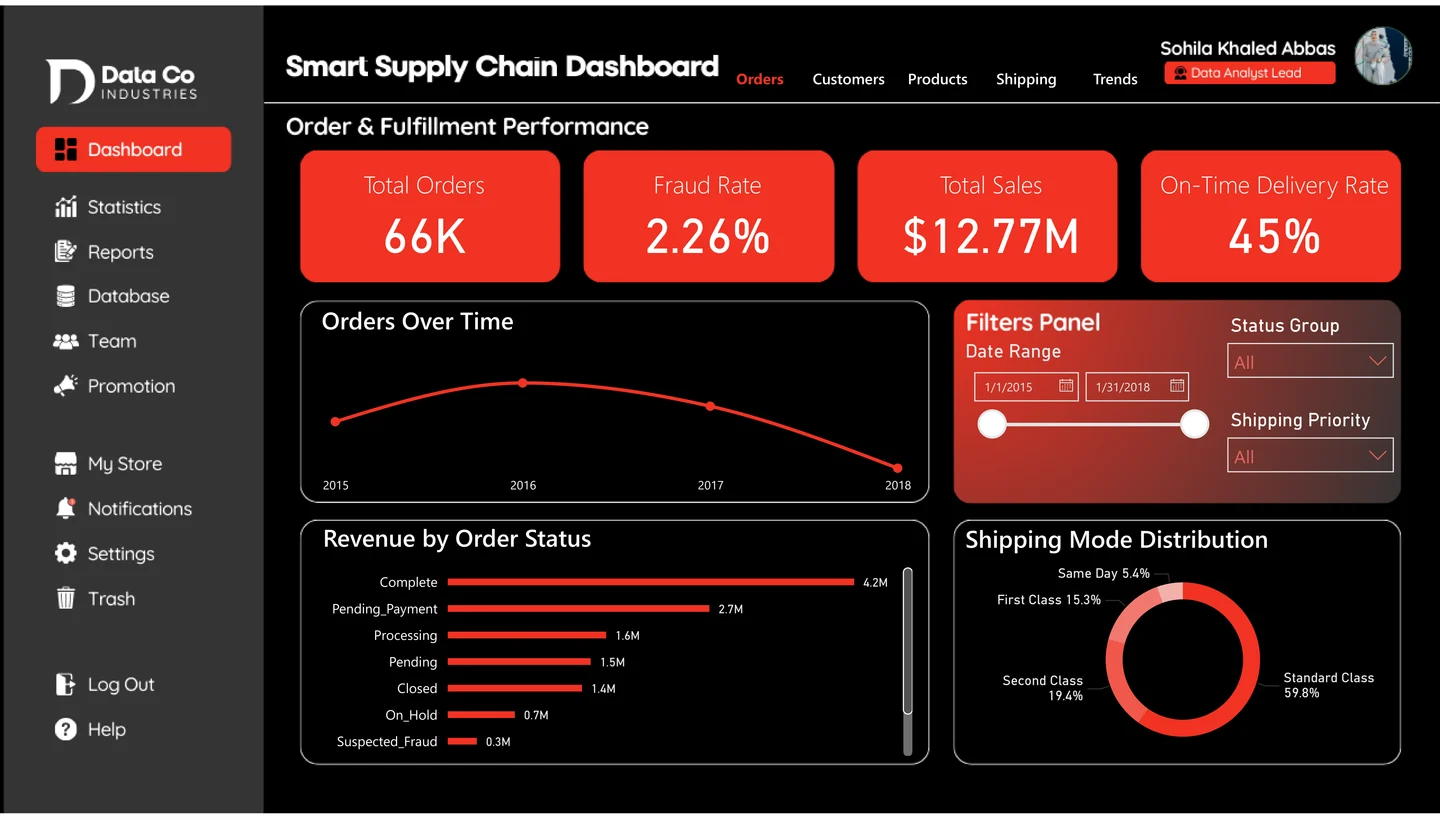
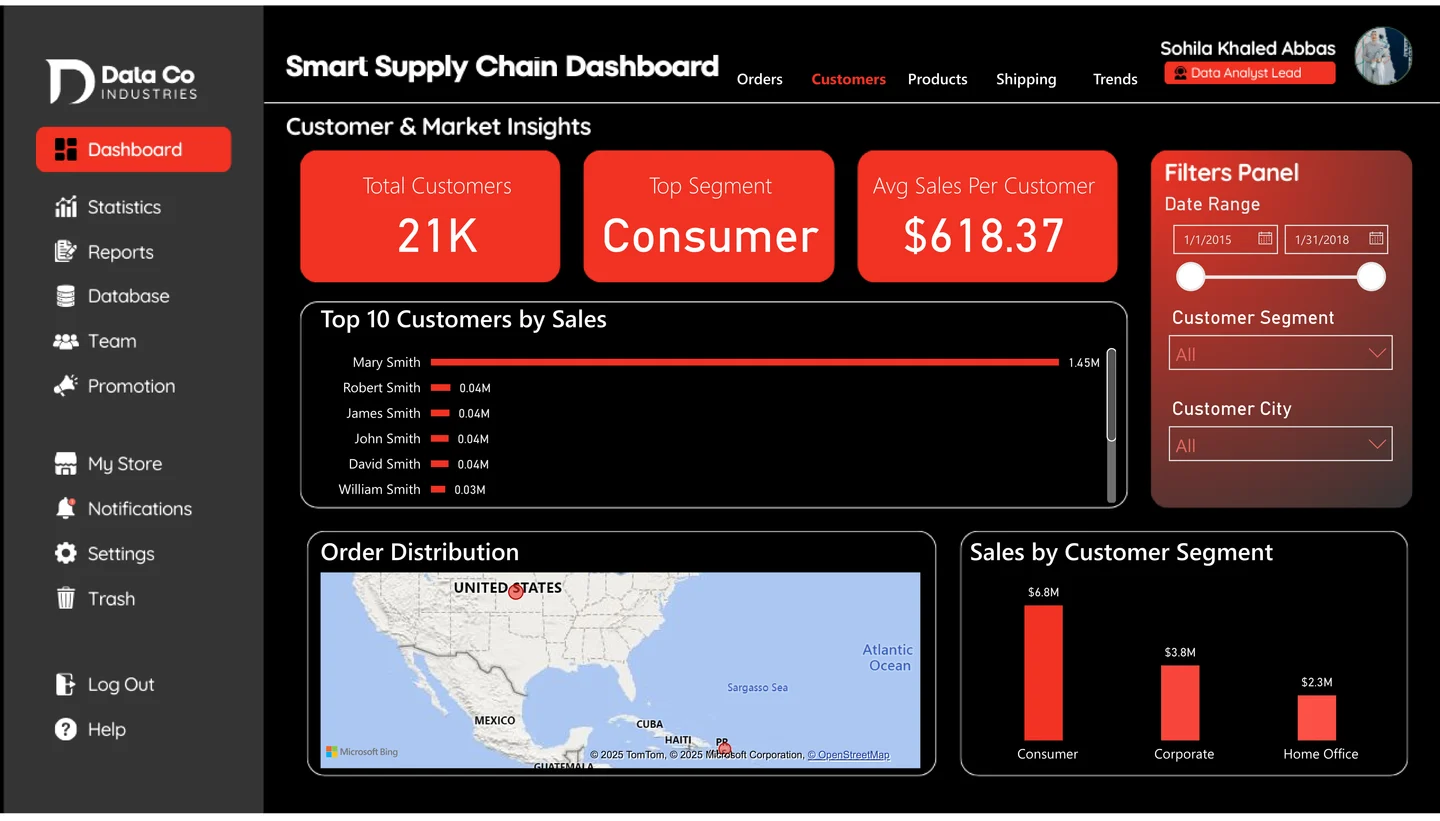
Order fulfillment · Screenshot from the repository. Select to enlarge.

Go beyond
the screenshot.
Load the public Power BI report to explore its pages and filters. The interactive view connects to Microsoft Power BI when you choose to load it.
Choose where to look deeper.
Search the linked source inventory or narrow it to the kind of artifact you want to inspect. Files open at their original source.
3 linked source files
No linked files match this view.